Italian Brainrot Coloring Pages
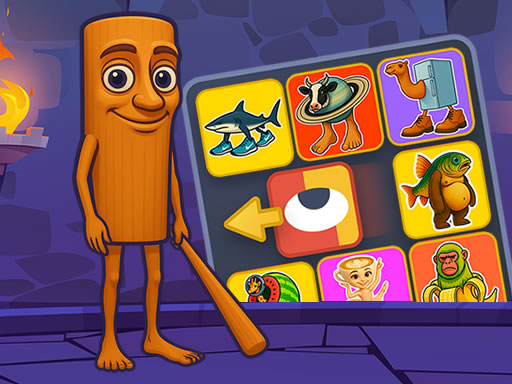
Color 12 Italian Brainrot meme images using 15 vibrant felt-tip pens. Creative expression meets therapeutic relaxation in this digital coloring book for all ages.
Loading Italian Brainrot Coloring Pages...
Rate this game!
Share this game with friends:
About Italian Brainrot Coloring Pages
The Digital Coloring Experience
Italian Brainrot Coloring Pages delivers stress-free creativity through 12 pre-drawn Brainrot character outlines. Select from 15 bright felt-tip colors and fill sections with simple clicks or taps. No skill barriers, no fail states—just you, the colors, and your artistic choices. The circular diameter selectors let you switch between fine detail work and broad area fills.
The save feature transforms casual doodling into keepsake creation. Unlike physical coloring books, you can experiment with wild color schemes, then revert if unsatisfied. Digital coloring removes the permanence anxiety that stops people from trying bold palettes.
Color Selection Strategy
- Base layer first. Start with largest areas (backgrounds, bodies) using lighter colors. Build darker details on top for visual depth.
- Complementary contrast. Pair opposite color wheel colors for maximum pop: blue backgrounds with orange characters, purple with yellow accents.
- Three-color rule. Limit each image to 3 primary colors plus black/white. Prevents visual chaos and creates cohesive designs.
- Reference real memes. Study actual Brainrot character colors (Tung Tung’s palette, Trallalero’s scheme) for authentic results.
- Diameter switching discipline. Use large circles for backgrounds, medium for character bodies, small for eyes and details. Prevents messy overlaps.
Progression Goals
- Bronze Rank: Complete all 12 images using at least 5 different colors each. Experiment with color variety without overthinking.
- Silver Rank: Create 3 images using advanced techniques (gradients via layered circles, shading with darker tones). Develop artistic depth.
- Gold Rank: Produce one masterpiece-quality image using the full 15-color palette strategically. Achieve gallery-worthy detail and composition.
Advanced Coloring Techniques
- Pseudo-gradient layering. Place medium circles in 3 shades of same color (light → dark) across an area to fake gradient effects.
- Outline emphasis. After coloring, go back and add thin black or dark brown lines to re-define edges. Makes characters pop from backgrounds.
- Texture simulation. Use rapid small circles in random patterns within sections to create “noise” texture, avoiding flat-color look.
- Color theory application. Warm colors (red, orange, yellow) advance visually; cool colors (blue, purple, green) recede. Use for depth illusion.
- Tablet pressure sensitivity. On touch devices with pressure support, vary your tap intensity for slight opacity changes.
Session Framework
| Session Length | Focus Activity | Expected Progress |
|---|---|---|
| 5 minutes | Speed coloring. Finish one image as quickly as possible, using any colors. | Overcome perfectionism and build familiarity with tool controls. |
| 10 minutes | Themed palette challenge. Pick one character and color them using only warm colors (reds/oranges/yellows). | Learn how color restrictions force creative problem-solving. |
| 15 minutes | Masterpiece mode. Dedicate full time to one image, implementing all advanced techniques carefully. | Create showpiece-quality art worthy of saving and sharing. |
Community Coloring Ideas
- Color swap challenges. Everyone colors the same image but must use opposite palettes—turn Tung Tung purple instead of his normal colors.
- Art exhibitions. Host monthly Discord galleries where members submit their best work. Community votes on wildest/prettiest/funniest.
- Coloring tutorials. Advanced users create step-by-step guides showing their technique for specific images. Beginners follow along.
- Before/after comparisons. Share vanilla vs. fully-colored screenshots side-by-side to showcase transformation.
Expand Your Creative Skills
After mastering digital coloring, try spatial creativity with Brainrot Garden. Merge Cats. Want more character art? Explore Italian Brainrot Jigsaw.
Frequently Asked Questions
How to play Italian Brainrot Coloring Pages?
Italian Brainrot Coloring Pages is a free browser game. Click play to start instantly with no download required.
Is Italian Brainrot Coloring Pages free to play?
Yes. Italian Brainrot Coloring Pages is free to play in your browser with no download or registration required on this page.
Can I play Italian Brainrot Coloring Pages at school?
Italian Brainrot Coloring Pages runs in a browser and may work on school or office networks, but access still depends on local filtering rules.